.svg)
.svg)

Before your interview begins, you'll need to grant the interview platform access to a few key settings. This ensures a smooth, uninterrupted session with clear audio and video.
Required Permissions
The interview platform requires access to the following:
- 🎤 Microphone
- 🎥 Camera
- 🔊 Speakers / Audio Output
- 🌐 Stable Internet Connection
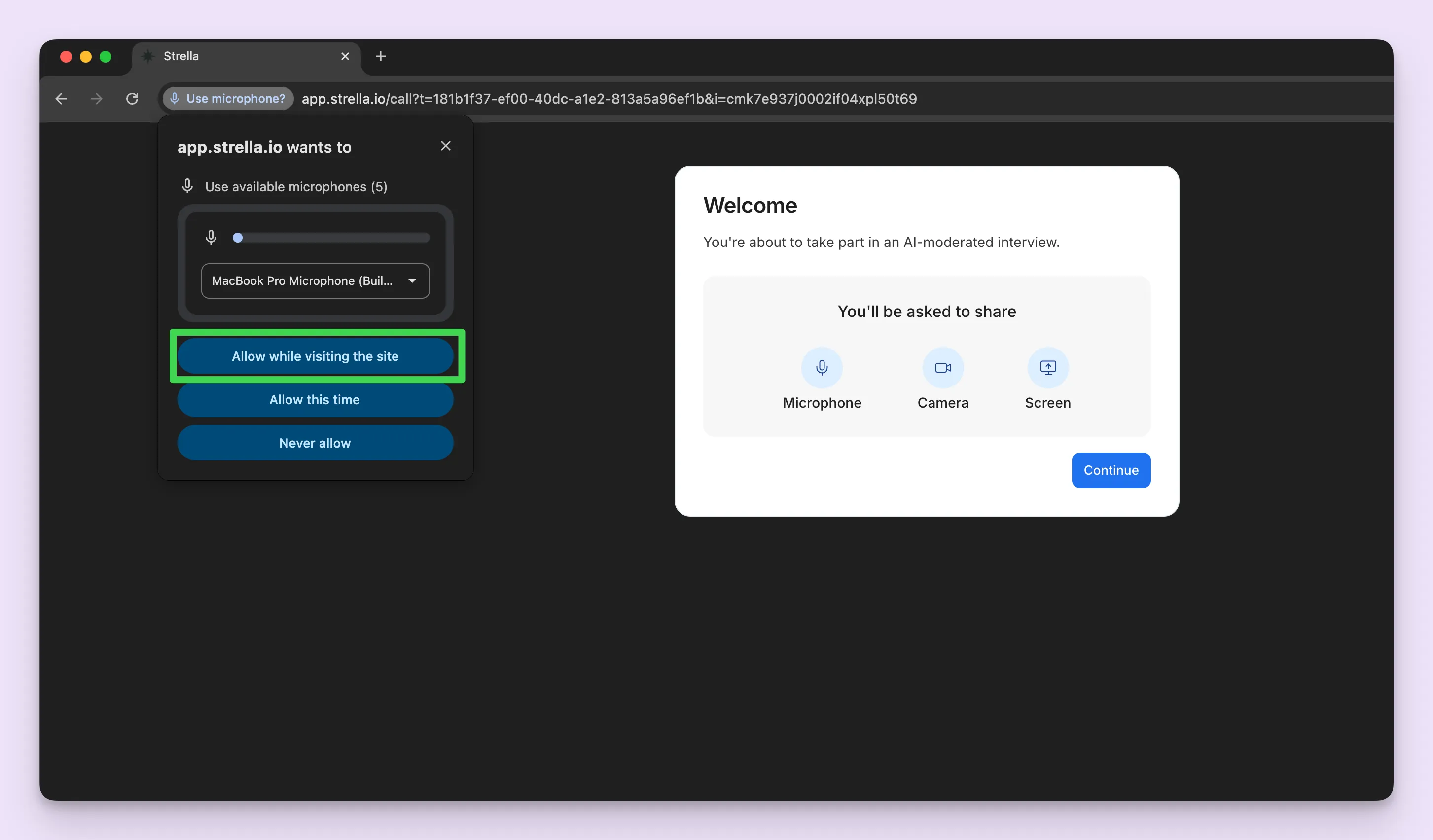
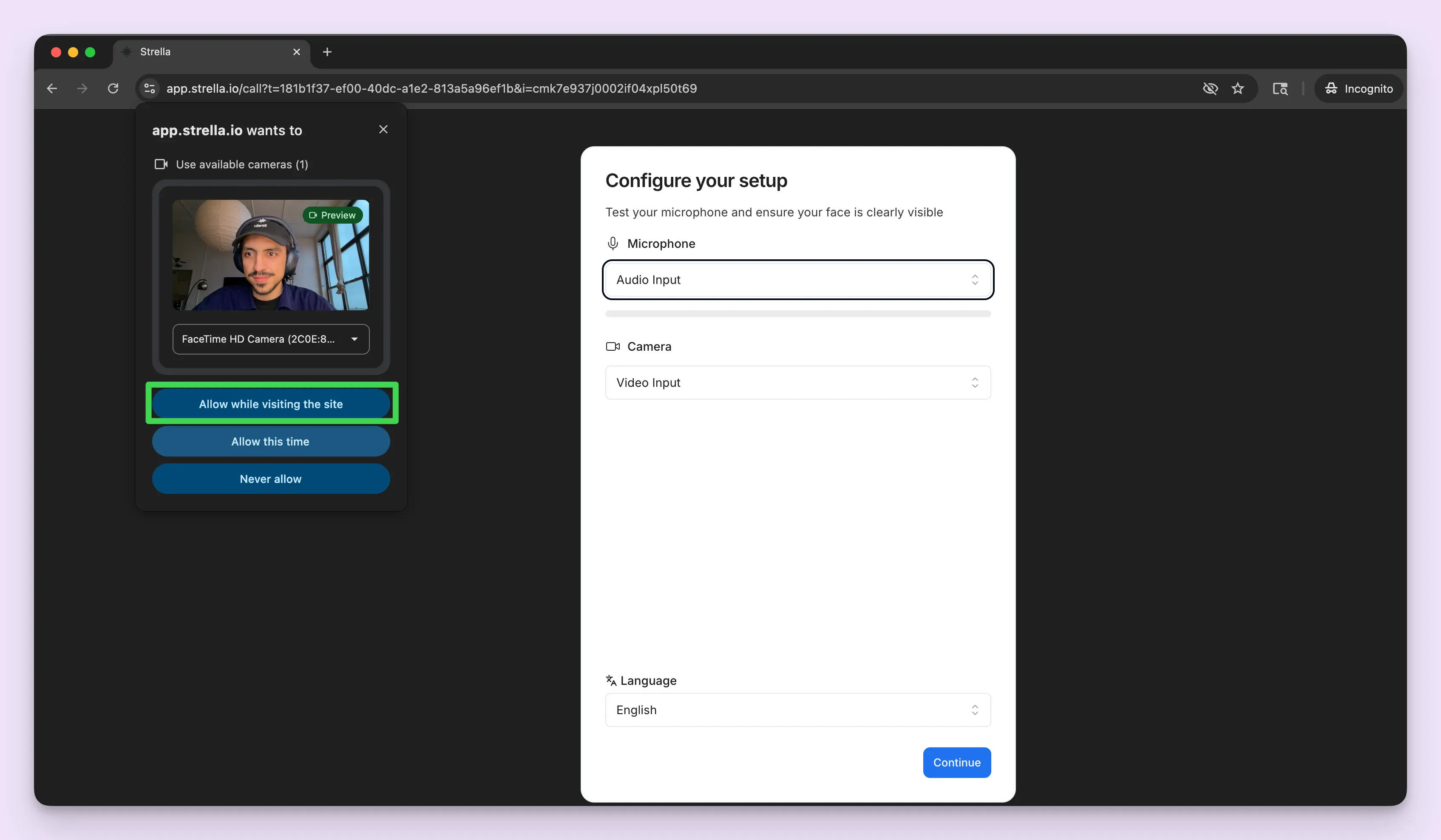
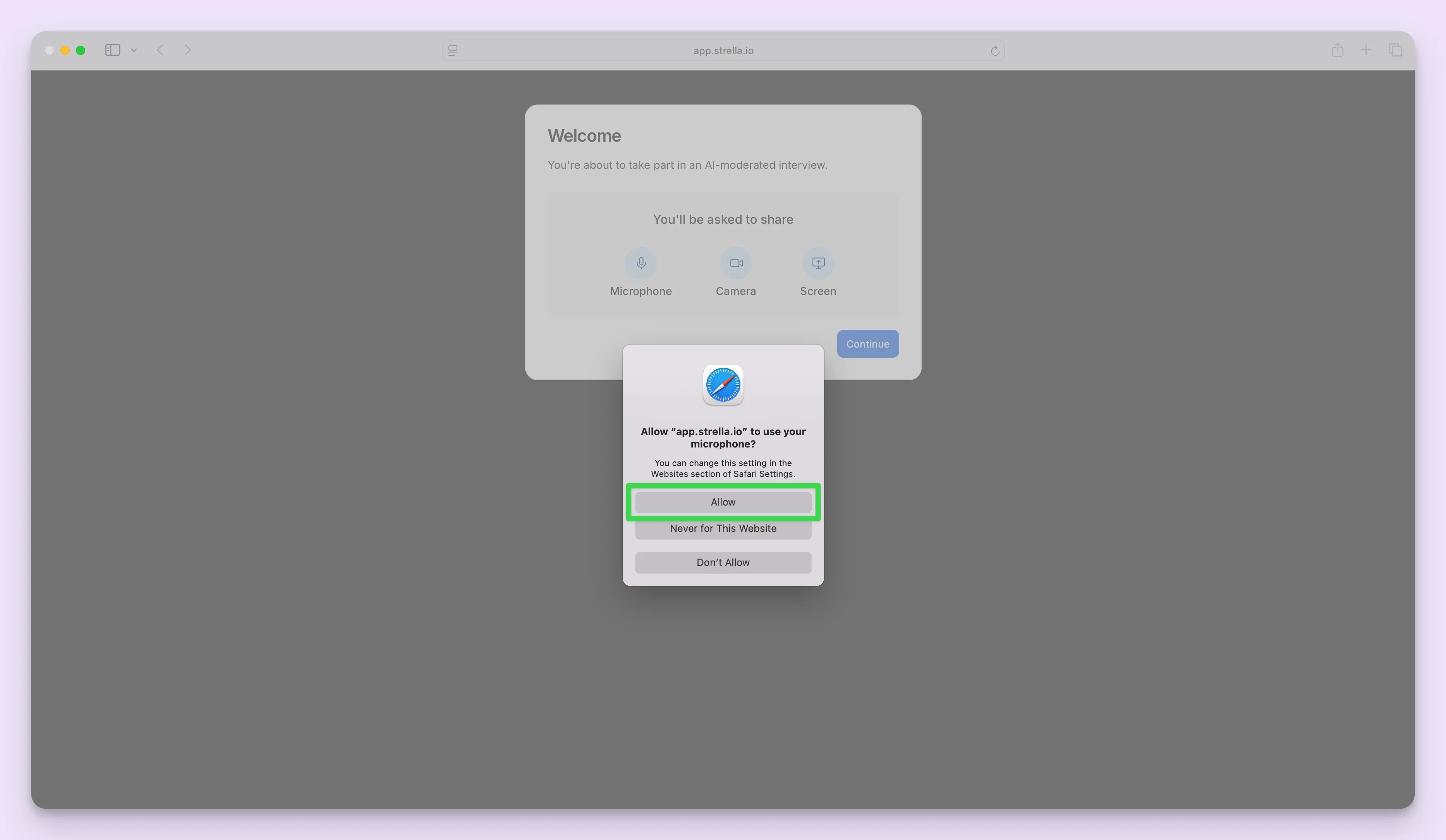
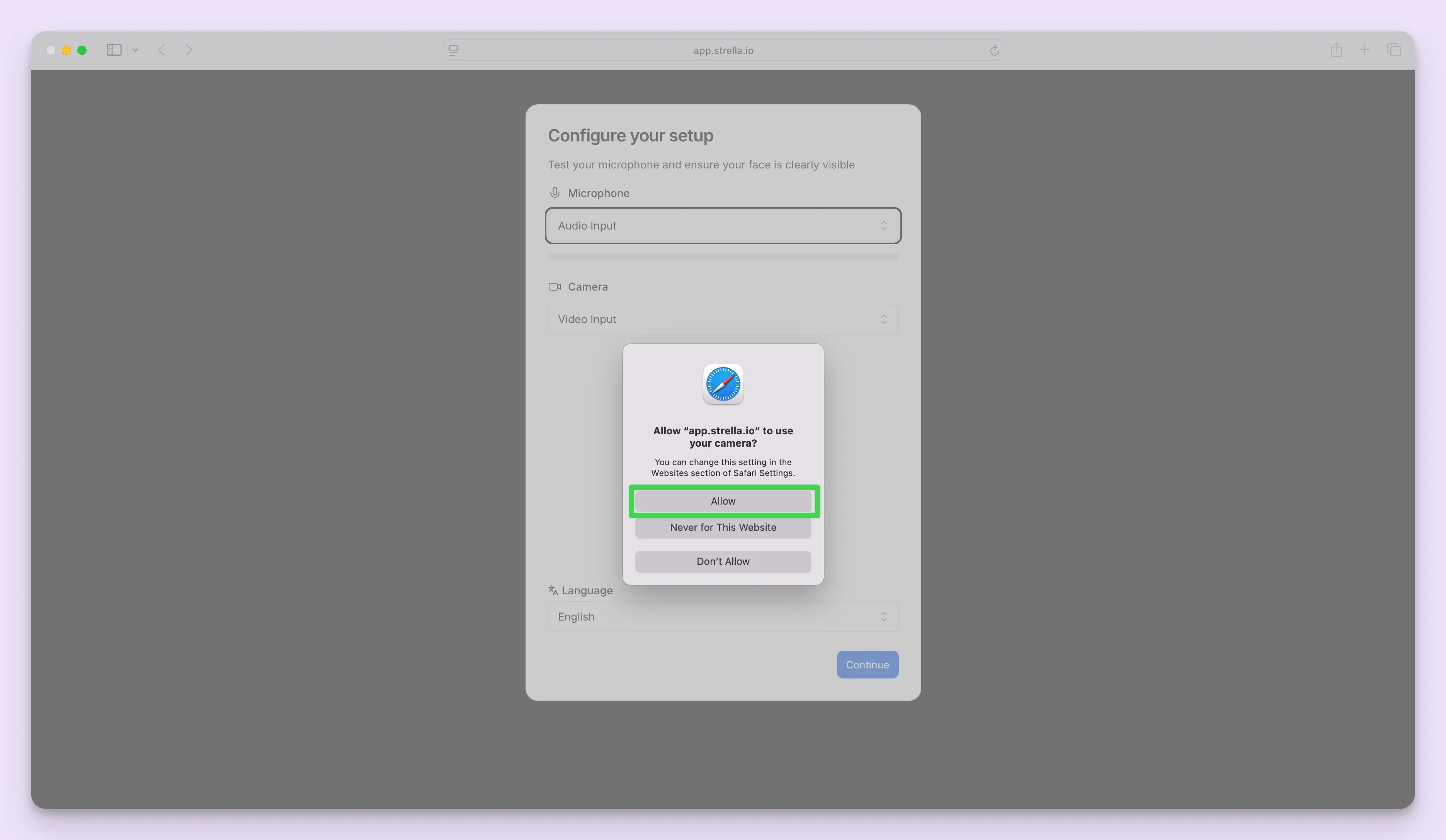
You will be prompted to allow microphone and camera access when the interview starts. You must click "Allow" to proceed.
Granting Browser Permissions When Prompted
When your browser displays a permission request, select "Allow" for both:
- Microphone
- Camera
Depending on the browser you're on, this may look different.
Google Chrome / Microsoft Edge
Safari (macOS)
Re-enabling Blocked Permissions
Depending on the browser you're on, manually resetting blocked permissions also looks a little different.
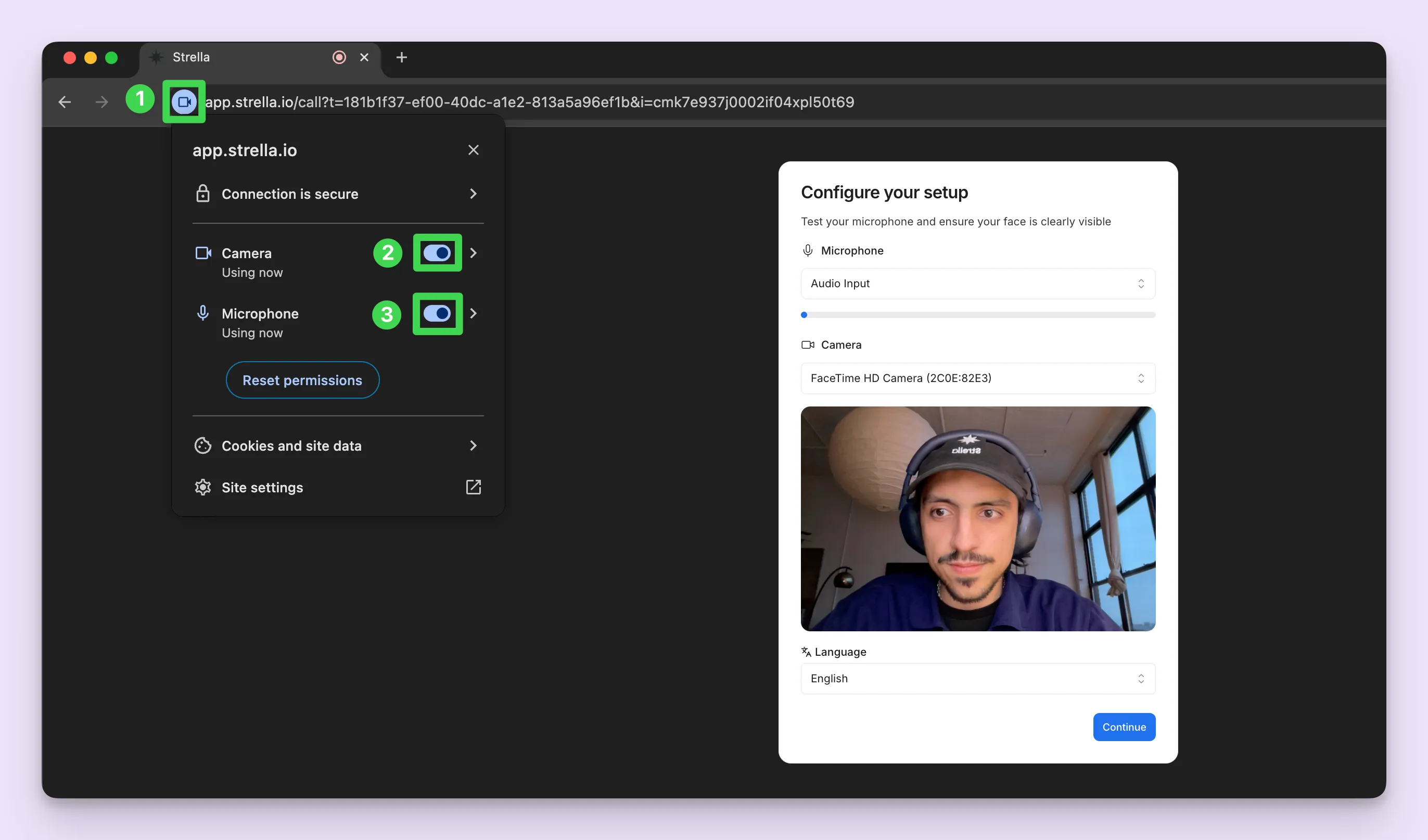
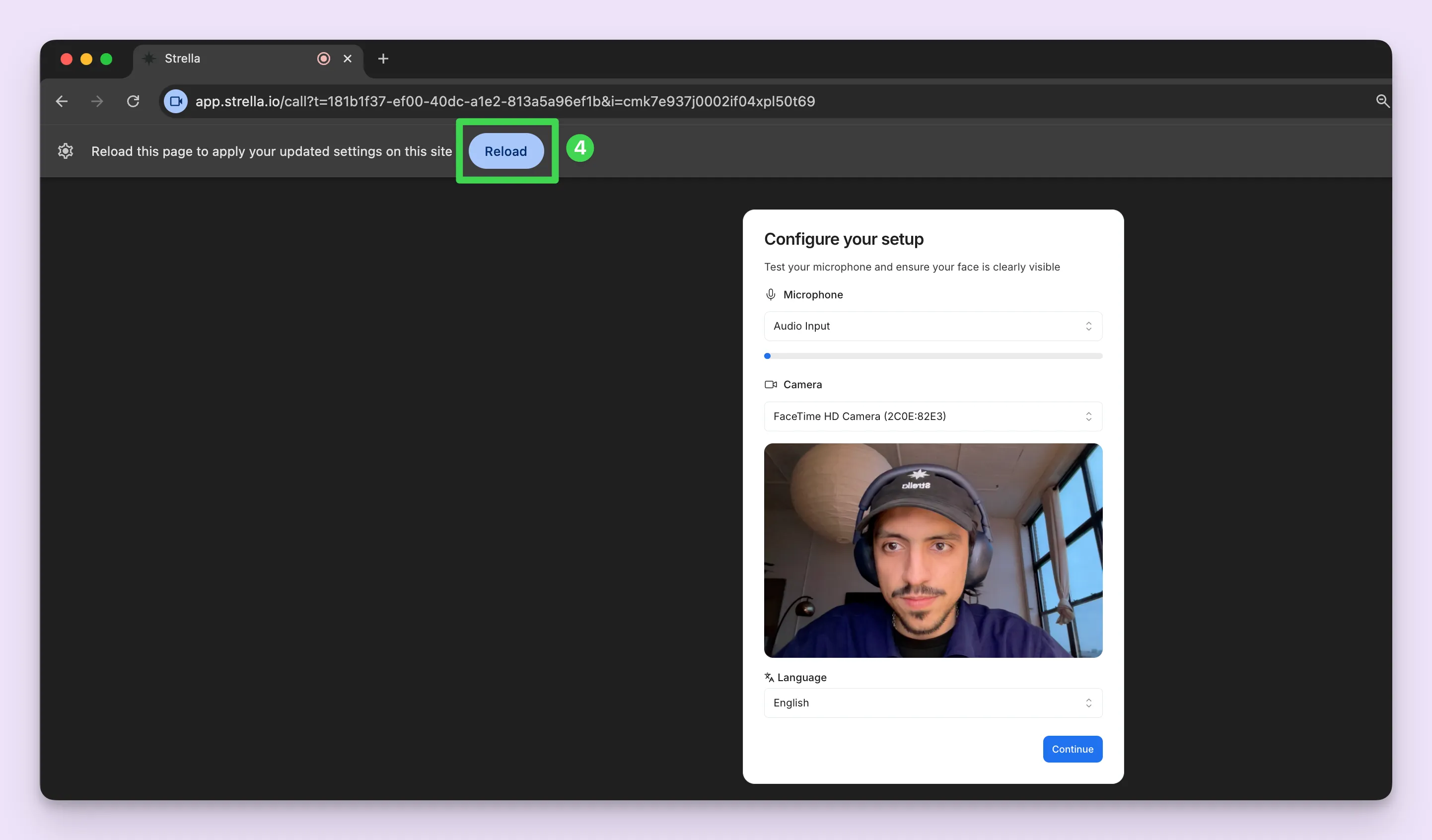
Google Chrome / Microsoft Edge
- Click the icon to the left of the website URL in your address bar
- Turn on the Camera toggle
- Turn on the Microphone toggle
- Reload the page
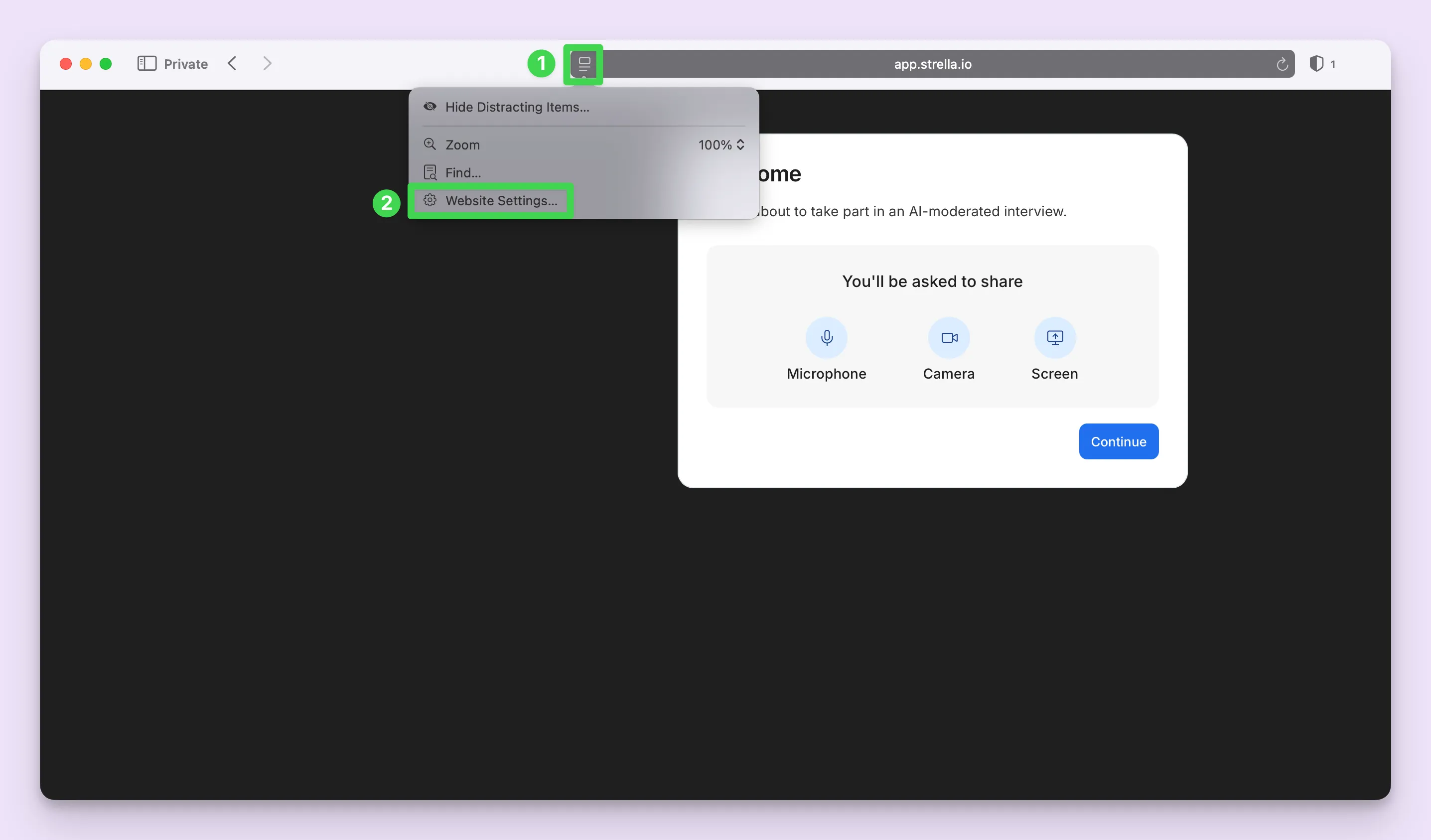
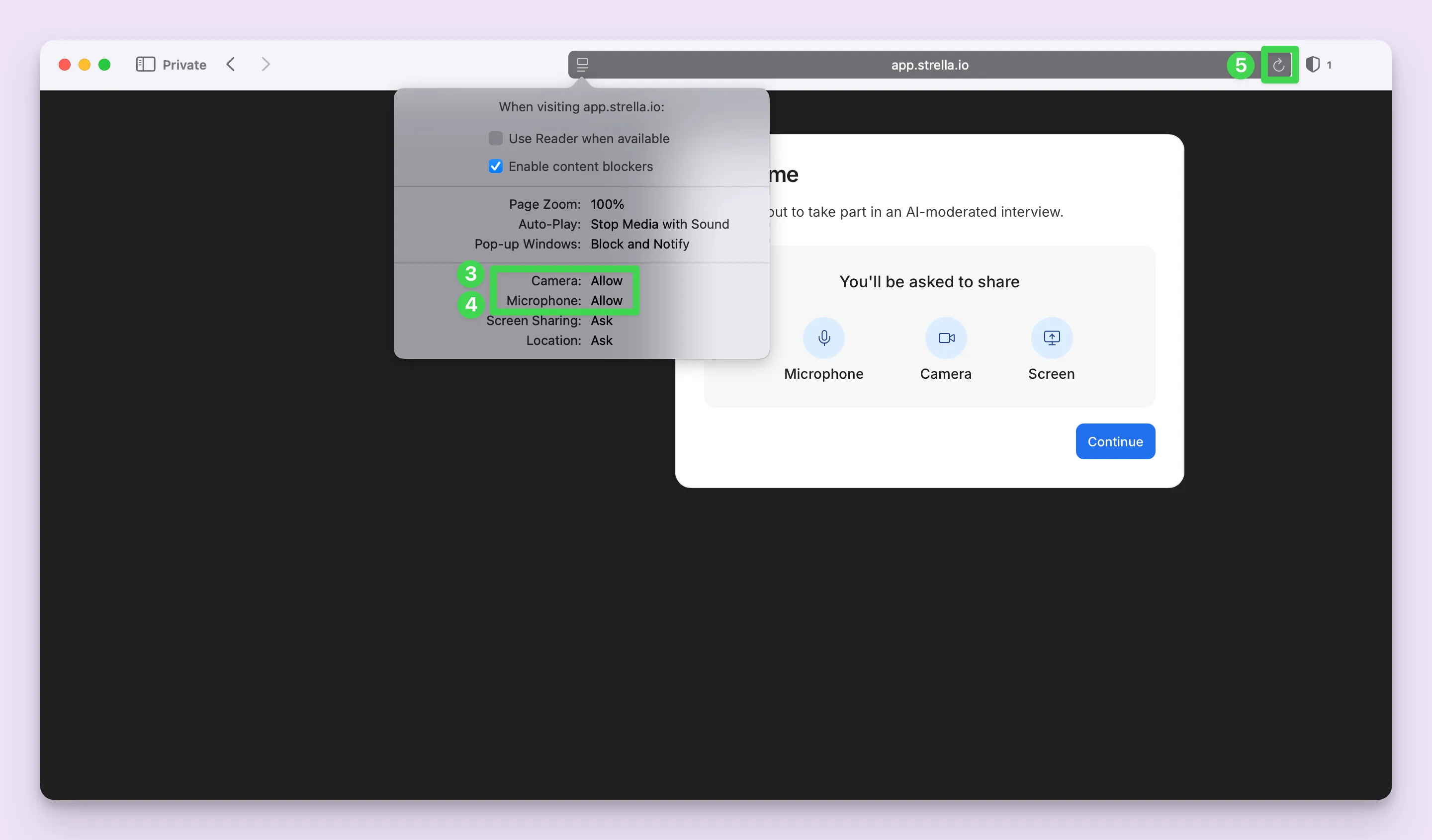
Safari
- Click the icon to the left of the website URL
- Click "Website Settings..."
- Set Camera to Allow
- Set Microphone to Allow
- Reload the page