
Strella Changelog – June 5, 2026
This week we shipped a full highlight reel editor in AI Chat, new filters and saved views across Analysis and Sessions, full-page Excel exports from Analysis, and automatic tool selection in AI Chat.
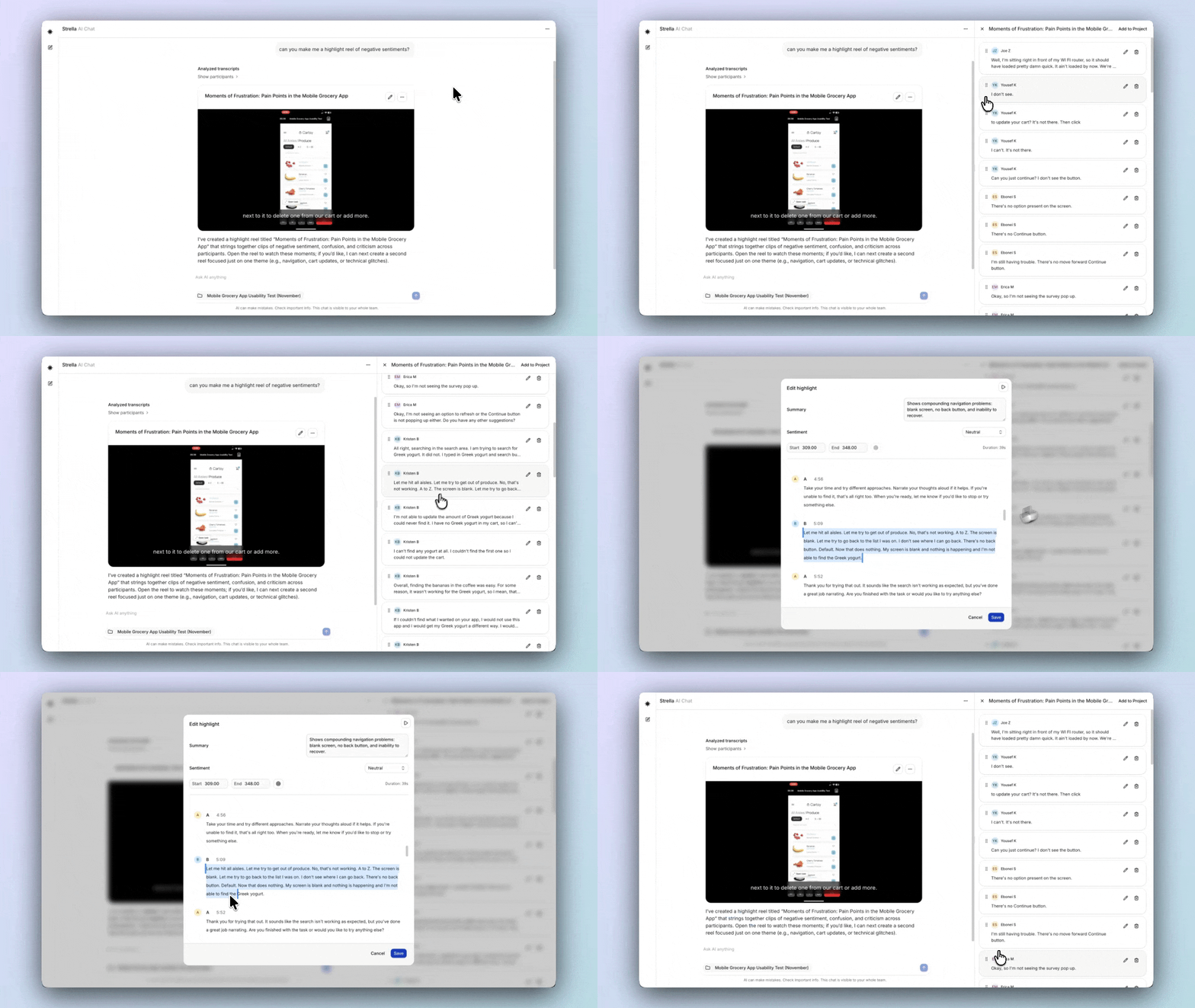
Trim and reorder highlight reel clips in AI Chat
Highlight reels built in AI Chat now have a full editor in the sidebar: reorder clips, trim each clip's start and end, remove or restore clips, and save the result back to your project — all without leaving the chat.
New filters and saved views across Analysis and Sessions
Analysis and Sessions add three new filters (Author, Session Quality, and Sentiment) and every filter dropdown now shows how many participants match each option before you apply it. Your filters and sort also save per project and travel in the URL, so you can reopen or share the exact view you're looking at.

Full-page Excel export from Analysis
You can now download an entire Analysis page as a multi-sheet Excel workbook with your current filters applied, so the file's structure matches what you see on the page.
AI Chat picks the best tool automatically
AI Chat now automatically selects the best tool for your prompt (a chart, a highlight reel, or a report) so you don't have to choose one yourself.
Small fixes
- Preview sessions in Analysis: preview sessions no longer appear in your analysis data
- Audio-only recordings: audio-only projects now always produce a viewable session recording
- Send in AI Chat with Enter: pressing Enter now submits your message in multi-project AI Chat
- Skip logic on duplication: duplicating a project or screener now preserves its skip-logic destinations