
Strella Changelog – May 1, 2026
This week we rebuilt Analysis around filter-based segmentation, added a faster way to build highlight reels directly from the Analysis section, shipped Excel exports for participant tables, and started sending daily participant payment reminders.
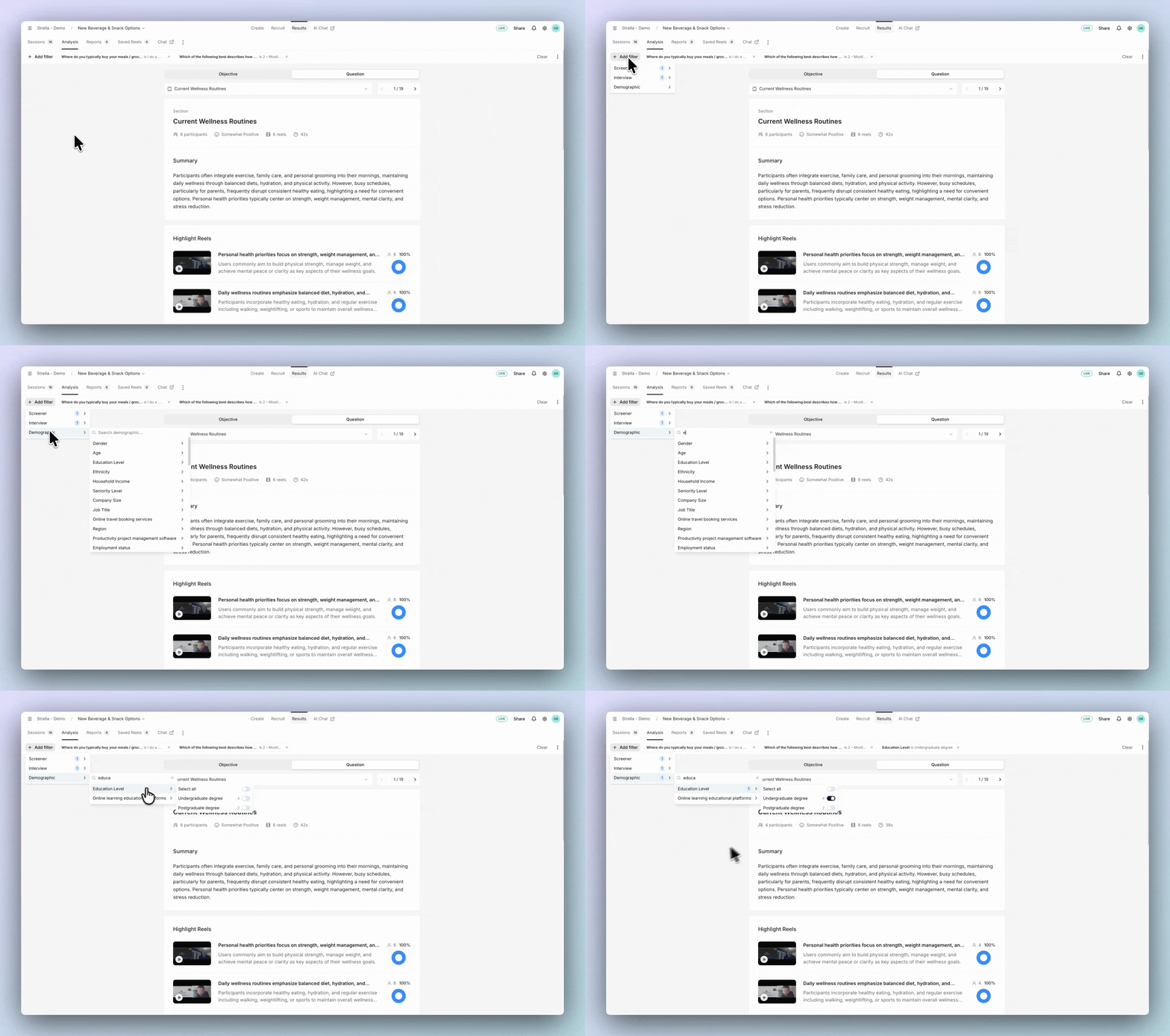
Filter-based segmentation in Analysis
Analysis segmentation now works through filters. Stack multiple filters across demographics, screener answers, quotas, and variants (segments no longer need to be mutually exclusive), and the participant list updates as you go — with the active filters applied to downloads.
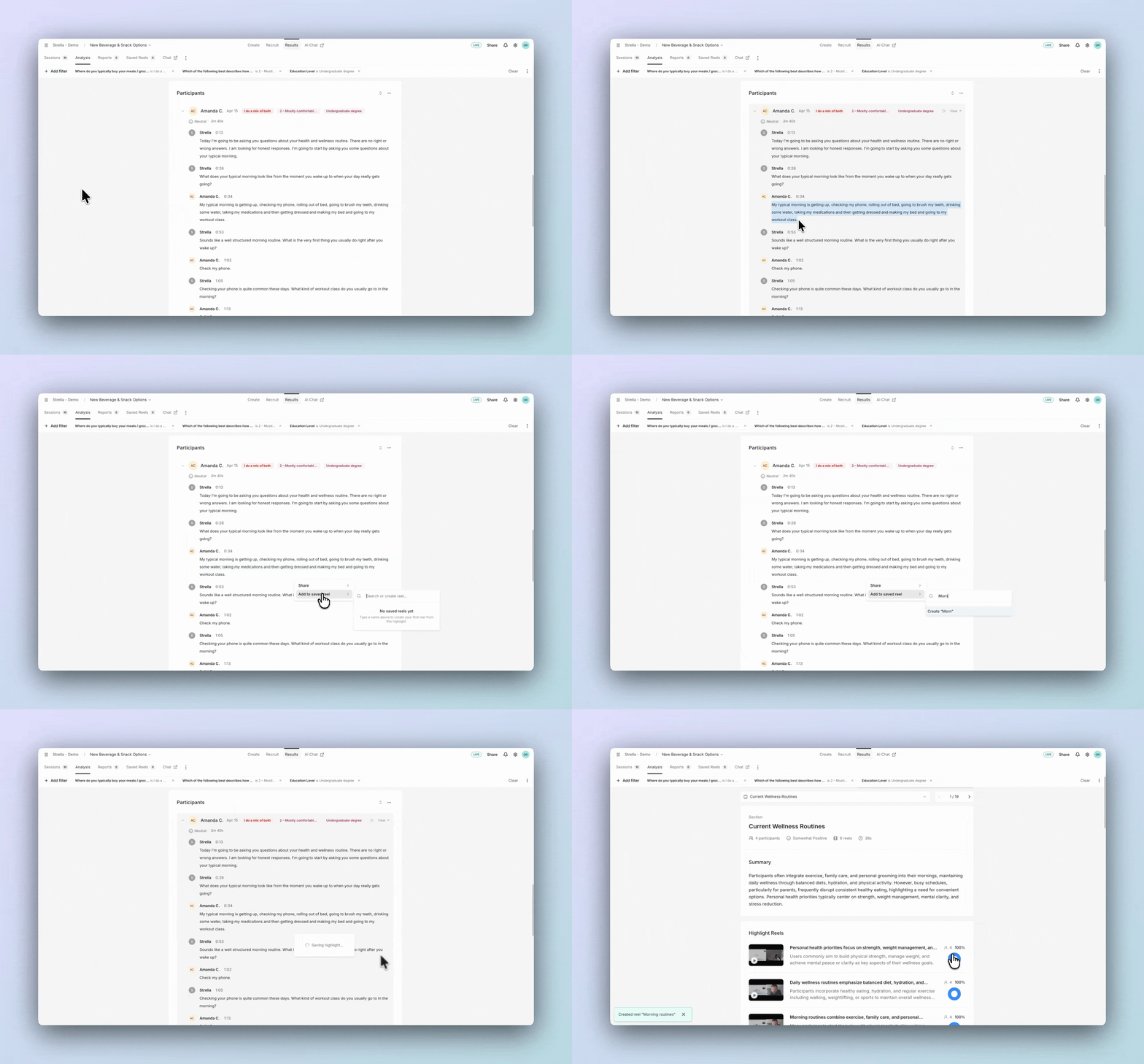
Build highlight reels from Analysis
From any Question in the Analysis section, you can now create highlight reels by selecting words in a participant's transcript and saving the quote to a new or existing reel.
Excel exports for participant tables
Participant tables can now be downloaded as XLSX in addition to CSV, with a separate sheet per participant tab so the structure of the export matches what you see in the app.
Daily payment reminder emails
Researchers now receive a daily email listing sessions scheduled for auto-payment the next business day, giving you a window to report a session before credits go out. This pairs with the recently shortened payout window, where panel-recruited participants are now paid 3 business days after a successful session.
Small fixes
- Browser back/forward in screener and onboarding: participants can now go back, forward, and refresh without losing their answers
- Session review indicator: the red badge that used to appear on session thumbnails has been replaced with a subtle yellow dot and outline that only appear when AI recommends "Review"
- Empty reels hidden in Analysis: sections that only contain scripted statements no longer show empty highlight reel panels or theme count chips
- Mobile fit for participants: the participant join, register, and onboarding screens no longer overflow on small phones