
Strella Changelog – December 12, 2025
This week we shipped a redesigned settings panel, smarter participant approvals with AI-powered recommendations, session thumbnails with hover previews, and a refreshed AI Chat UI.
Redesigned settings panel
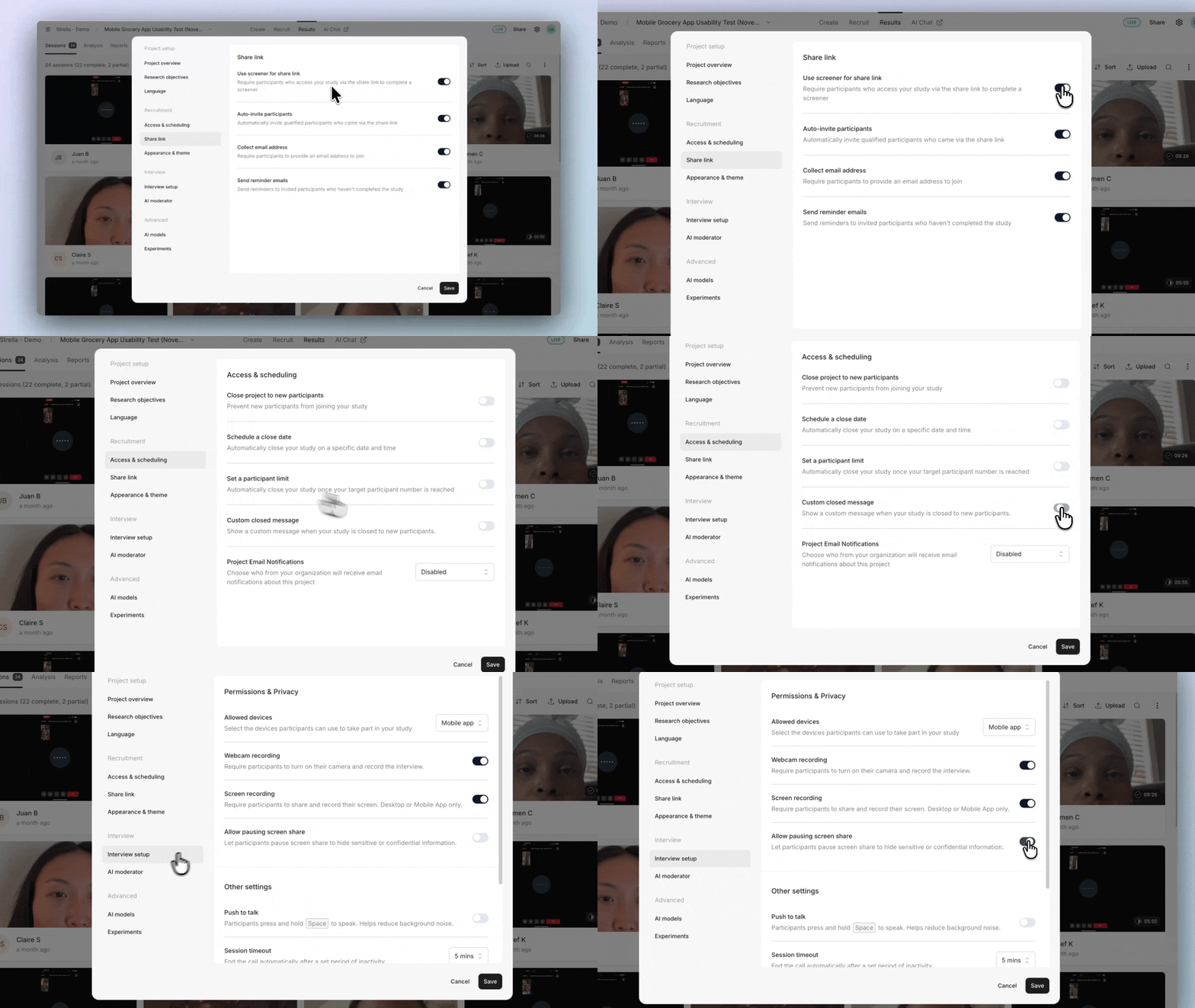
Settings that belong together are now grouped into clear sections:
- Project setup (research plan, objectives, moderator language)
- Recruitment (scheduling, share links, appearance)
- Interview (setup and AI moderator options)
- Advanced (AI models and experimental features).

We've also added new options including screener control for share links, custom closed messages, and the ability for participants to pause screen sharing.
Smarter participant approvals
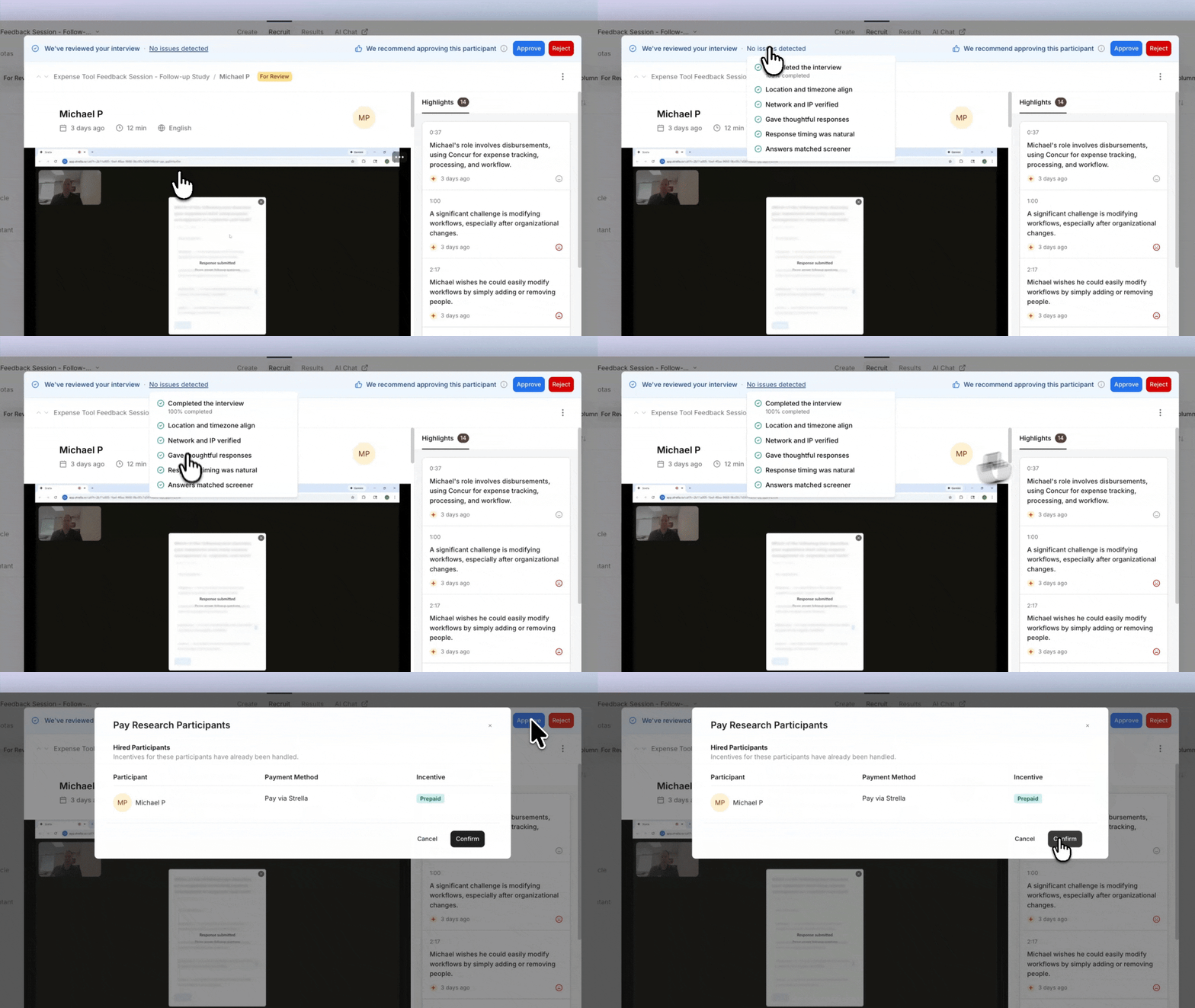
Strella now reviews each participant session and recommends whether to approve or reject the participant. Hover over any recommendation to see the reasoning – then approve or reject right from the session modal. Suggested actions are also visible in the participant table view.
Session thumbnails at a glance
Each participant session and analysis view now includes a thumbnail. Hover over it to see a gif of the entire session, giving you a quick visual summary of the participant experience.

Refreshed AI Chat interface
The AI Chat interface has been refreshed with a cleaner, more polished look.
